Electronic Contract Manufacturing Service Provider in California

What Are the Best Mobile POS Systems in 2026?

Mobile point-of-sale systems let businesses take payments beyond a fixed checkout counter. In 2026, that flexibility matters to cafés with crowded queues, market vendors serving customers outdoors, and service teams taking payments at a customer’s home. A phone or tablet can make checkout easier, but the device alone does not make a system reliable. Payment processing, inventory updates, receipts, and staff permissions all shape the daily experience. Small details matter.

The best mobile pos systems depend on how a business actually operates. A busy food truck may need quick transactions and dependable connectivity, while a small retailer may care more about product tracking and customer records. Before choosing, compare hardware costs, transaction fees, software plans, payment options, offline capabilities, and customer support. Check whether the system works with tools you already use. Ask how it handles a dropped connection or a returned item. These are practical questions, not flashy features.

This guide will compare leading options by usability, pricing structure, features, and suitability for different business types. It will also distinguish advertised capabilities from details worth verifying with each provider, since plans and terms can change. No single system is best for everyone. A polished demo may not reflect a long Saturday queue, and an inexpensive plan may carry trade-offs. That deserves a closer look. The aim is to help readers narrow their choices with clear criteria, then confirm current pricing and functionality directly before committing.
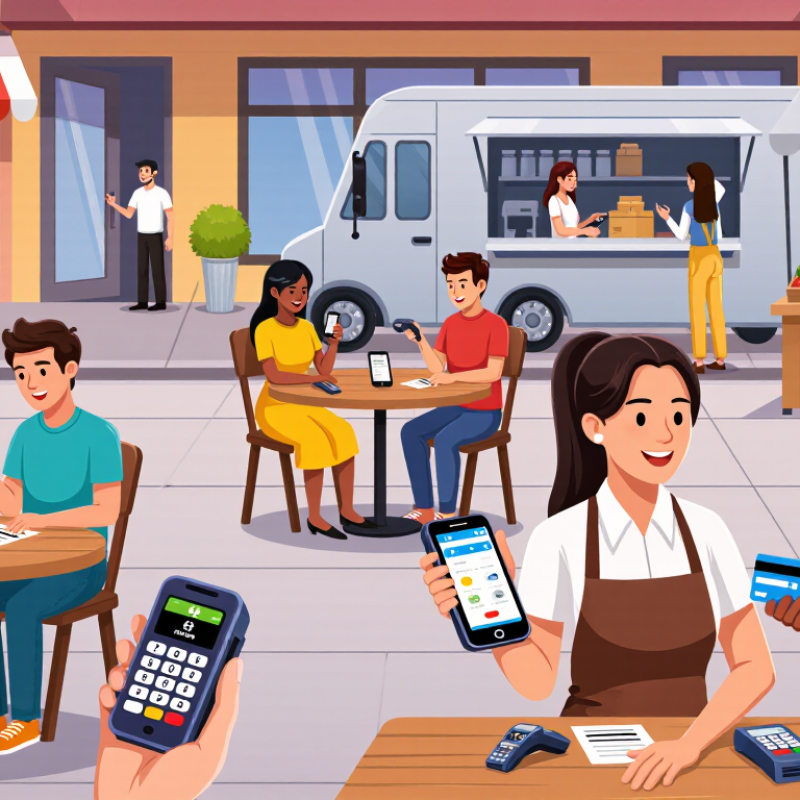
What Are the Best Mobile POS Systems in 2026?

What a Mobile POS System Is and How It Works

A mobile POS system lets staff take payments on a phone or tablet instead of at a fixed checkout. It usually combines payment acceptance, transaction records, and tools such as digital receipts or inventory updates. A server can bring a handheld device to a table, confirm an order, and accept a card or contactless tap. No fixed counter needed. The device sends the payment for authorization, then logs the result for later reconciliation.

The Federal Reserve’s 2024 Diary of Consumer Payment Choice found that cash represented 16% of U.S. consumer payments in 2023. Mobile POS devices help staff accept the cards and digital payments many customers use. The value is flexibility, not magic. Connectivity can drop, batteries run low, and rushed setups can leave records unclear. Reliability depends on the network, staff training, and a workable backup process.

A mobile POS can also link in-person sales with online orders. U.S. Census Bureau data show e-commerce accounted for 16.1% of total U.S. retail sales in the fourth quarter of 2024, seasonally adjusted. For merchants selling through both channels, syncing orders and inventory can reduce manual updates. Still, synchronization is not automatic in every system. Test how returns, discounts, and offline sales appear before relying on it. A small test matters.

How a Mobile POS System Connects and Processes Payments

A mobile POS system uses a phone or tablet to run checkout software, connects to a reader or payment device, and sends transaction details over a network for authorization. NFC enables tap-to-pay; Bluetooth Low Energy can connect nearby devices; Wi-Fi can provide network access. The chart compares published maximum theoretical link rates, not actual payment speeds. These technologies serve different purposes, so the figures are not direct measures of POS performance.

Reference specifications: NFC, Bluetooth Low Energy, and Wi-Fi 6. Rates shown in Mbps: NFC 0.424, Bluetooth Low Energy 2, Wi-Fi 6 9,600.

Key Features to Compare in Mobile POS Systems

A mobile POS system should fit the way staff actually serve customers: at a checkout counter, beside a table, or at a weekend market. The Federal Reserve’s 2024 Diary of Consumer Payment Choice found that credit cards accounted for 32% of consumer payments in 2023, while debit cards accounted for 30%. That mix makes reliable card acceptance essential. Compare supported payment methods, transaction fees, and how quickly funds reach your account. Also check whether the system can keep recording sales during a weak Wi-Fi connection.

Tips: Test the device where you plan to use it. Walk the sales floor, process a refund, and see how the screen handles bright light. A fast demo can hide frustrating details. Check battery life, offline limits, receipt options, and whether the system syncs inventory across devices. Ask about extra charges for hardware, software, and support.

Security and reporting deserve equal attention. Look for user permissions, encrypted transactions, and clear steps for lost devices. Review whether daily reports show sales by item, staff member, and payment type. These details help owners spot stock gaps or busy hours without wrestling with spreadsheets. Don’t assume every feature works well on a small phone screen; test common tasks before committing. A system with many tools may still feel clumsy during a queue.

What Are the Best Mobile POS Systems in 2026? — Key Features to Compare in Mobile POS Systems

Comparison Area What to Compare Practical Evaluation Why It Matters
Payment Methods Support for EMV chip cards, contactless payments, and mobile wallets Confirm which payment types work with the included reader and whether additional hardware is required. Customers expect convenient payment choices, while chip and contactless acceptance can reduce reliance on magnetic-stripe transactions.
Offline Operation Which functions remain available without an internet connection and how offline payments are handled Check whether transactions can be stored for later processing, what limits apply, and who bears the risk if a stored payment is declined. Connectivity interruptions can occur. Offline payment availability and risk policies vary by provider and payment method.
Connectivity Wi-Fi, cellular connectivity, Bluetooth, and compatible network requirements Test the system in the actual service area, including outdoor or low-signal locations. Reliable connectivity helps keep checkout, payment processing, and cloud-based tools available.
Hardware Compatibility Supported phones, tablets, card readers, receipt printers, and cash drawers Verify exact device models, operating-system versions, connection types, and accessory costs before purchase. Compatibility affects setup costs, staff workflows, and the ability to reuse existing equipment.
Transaction Costs Card-processing rates, per-transaction charges, monthly fees, hardware costs, and contract terms Request a complete written fee schedule and compare the total cost using your expected payment mix and sales volume. Rates and fee structures differ. A headline rate alone may not represent the total cost of accepting payments.
Security and Compliance Payment-data protection, account controls, device security, and PCI DSS responsibilities Ask which security measures are provided and which compliance tasks remain the merchant’s responsibility. PCI DSS applies to organizations that store, process, or transmit payment-card data; specific responsibilities depend on the setup.
Inventory Management Item catalog, stock counts, low-stock alerts, variants, and multi-location inventory Check whether inventory updates automatically after a sale and whether stock can be tracked across locations. Accurate stock records help reduce overselling and make replenishment easier.
Taxes and Receipts Tax configuration, item-level tax rules, digital receipts, and printed receipts Confirm support for the tax rules used in each selling location and test receipt details before launch. Tax requirements vary by jurisdiction, and clear receipts help customers review their purchases.
Tips and Service Workflows Tip prompts, split payments, refunds, discounts, and order management Run common checkout scenarios, including partial refunds and multiple payment methods, during a trial. Features suited to the business’s service model can reduce checkout friction and staff workarounds.
Reporting Sales summaries, product performance, refunds, taxes, and staff activity Check whether reports can be filtered by date, location, employee, and payment type, and exported for bookkeeping. Useful reporting supports reconciliation and helps identify sales patterns.
Integrations Accounting, ecommerce, loyalty, scheduling, and inventory connections Confirm that required integrations are supported, included in the plan, and capable of syncing the data you need. Integration depth and availability can vary; a connection may not synchronize every field or workflow.
Support and Reliability Support hours, contact channels, onboarding, service availability, and troubleshooting resources Review published support terms and test the available help resources before relying on the system for daily sales. Timely assistance can help resolve payment or device issues that interrupt checkout.
Best-Fit Assessment Fit for pop-up sales, tableside service, delivery, retail counters, or mobile field sales Prioritize the workflows used most often, then compare total cost, hardware needs, and required integrations. No single feature set is ideal for every business; the best choice depends on operating needs and payment volume.

Leading Mobile POS Systems Available in 2026

In 2026, the leading mobile POS systems are defined by how well they fit real service settings. Smartphone-based setups suit pop-up stalls and quick queues. Tablet systems offer larger menus and clearer order entry. Dedicated handheld terminals are useful when staff take payments beside a table. Small shops need speed. They also need dependable offline handling, clear fees, and quick staff training.

Grand View Research estimated the global mobile POS terminals market at USD 36.19 billion in 2023 and projected an 11.2% compound annual growth rate from 2024 to 2030. That forecast signals growing demand, not proof that every new feature pays off. In practice, inventory syncing, sales reporting, and secure payment processing matter more than a crowded feature list. A system that works across locations can help growing retailers, but setup and support still vary.

Tips: Test a device during a busy shift, not just in a quiet demo. Check battery life, receipt options, and what happens when Wi-Fi drops. Ask staff to complete a sale and refund without coaching. Small frustrations show up quickly. Don’t overlook them.

How Mobile POS Systems Differ by Business Type

A mobile POS system should fit the way a business sells, not just look capable in a demo. For a market stall or pop-up shop, choose a light reader, a clear checkout screen, and a battery that can last through a busy shift. Small details matter. Staff should be able to find an item quickly while customers wait in line.

Restaurants need different tools. Servers may take orders beside a table, send changes directly to the kitchen, and split a bill without returning to a counter. A café with short queues may value fast item buttons more than complex table management. Test the workflow with a realistic order, including a refund or a modified meal. A polished demo can miss awkward steps.

For mobile service businesses, such as repair technicians or home cleaners, portability and dependable connectivity are central. Check whether the system can record sales when reception drops, then sync safely once service returns. Also review transaction fees, staff permissions, receipt options, and support hours before committing. Test it live. A system that suits one team may slow another, and that trade-off deserves honest attention.

How to Choose the Right Mobile POS System for Your Business

Choosing a mobile POS system starts with the way your business actually works. A café may need quick ordering at crowded tables, while a repair shop may need clear estimates and itemized invoices. Write down the tasks staff repeat during a busy hour. Keep it concrete. If checkout requires several screens or awkward taps, employees may avoid useful features when customers are waiting.

Check whether the system works reliably on your devices and network. Some locations have weak Wi-Fi, so test what happens when the connection drops. Can staff keep recording sales? Does the system sync changes later? Also consider payment options, inventory updates, staff permissions, and receipt settings. Choose tools that solve current problems, not features that merely look impressive in a demo.

Look beyond the monthly fee. Include hardware, payment processing, support, and any costs for adding locations or users. Ask how customer and sales data are protected, and check whether reports are easy to export. Then test a real workflow: add an item, apply a discount, accept payment, and issue a refund. A short trial can reveal more than a polished presentation. It is easy to overvalue a long feature list; the right choice may feel less exciting, but fit your daily routine better.